Use different workloads to check a DDR5 profile. Data storage and transfer, the memory controller, heavy computational workloads, training repeatability, and margin at real operating temperatures must be tested separately.
FIVE DIFFERENT TEST TARGETS
Table, PDF page 65
Target
What may be unstable
How we test it
What a single test does not prove
DRAM and data
Cells, rows, refresh, writes, and reads
Karhu, TM5, MemTest86, OCCT Memory
IMC stability under AVX load
IMC / PHY
CPU-to-DIMM link, VDD2/MC, TX, SA, Vref, and signal integrity
y-cruncher VT3/FFTv4, OCCT CPU + RAM
Absence of a rare retention error
CPU and cache
Cores, ring/cache, voltage, and CPU temperature
y-cruncher SVT and small in-cache tests
Stability of the modules alone
Training
Variation in trained values, cold/warm boot, and the saved fast path
Several complete training cycles and boots
Stability of an already-booted system
Temperature
tREFI, tRFC, DRAM voltage, and different thermal behavior of 1R/2R
Karhu/TM5 with HWiNFO and real airflow
Behavior of a cold memory kit
PROFILE TESTING SEQUENCE
Table, PDF page 65
Step
Stage
Practical action
Proceed when
1
Quick screening
10–30 minutes of a targeted workload after one change
No errors or hangs
2
Isolate the cause
Compare SVT with VT3/FFTv4 and an independent RAM test
The conditions that reproduce the failure are understood
3
Pre-boot
MemTest86: four passes after cold training
No address or bit errors
4
Thermal conditions
Bring the DIMMs to their daily-use temperature plateau
The profile holds its operating tREFI
5
Repeatability
Cold boot, warm restart, sleep, and normal workloads
The result does not depend on one lucky POST
DOCUMENTATION REVIEWED: The methodology of this revision; Numberworld y-cruncher FAQ; Karhu RAM Test FAQ; PassMark MemTest86 User Guide; official OCCT test descriptions.
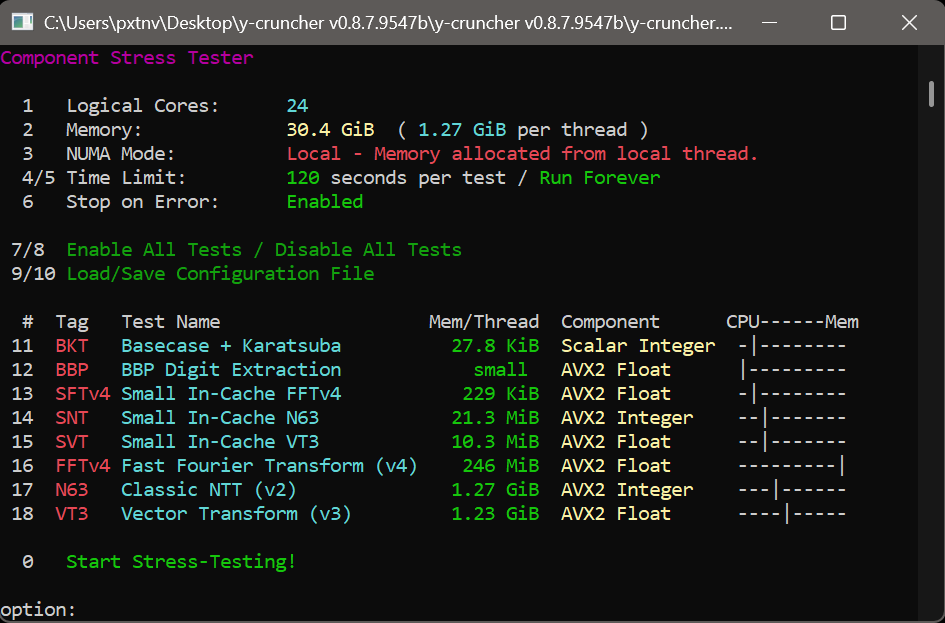
Use only Component Stress Tester. The official Windows build is v0.8.7.9547b; Linux is v0.8.7.9547. My screenshot shows the Windows binary 0.8.7.9547b.
WHAT EACH COMPONENT DOES
Table, PDF page 66
Tag
Algorithm
Primary workload
Role in DDR5 diagnostics
BKT
Basecase + Karatsuba*
Scalar integer multiplication; small working set
CPU arithmetic; little dependence on RAM
BBP
BBP Digit Extraction
Vector floating-point arithmetic; small working set
CPU compute workload; does not test the full RAM allocation
SFTv4
Small In-Cache FFTv4
Small FFTv4: floating-point Fourier transform in cache
CPU/cache; complements large FFTv4
SNT
Small In-Cache N63
Small N63: integer NTT in cache
CPU/cache with a different type of arithmetic
SVT
Small In-Cache VT3
Small VT3: vector computation with an in-cache working set
CPU/cache; I compare it with large VT3
FFTv4
Fast Fourier Transform v4
Floating-point FFT; large working set, strongly dependent on RAM bandwidth
CPU/cache/IMC/RAM with heavy memory traffic
N63
Classic 64-bit NTT v2
64-bit integer NTT; large working set
Another algorithm for combined CPU and RAM testing
VT3
Vector-Scalable Transform v3
Vector transform; large working set, CPU + IMC + RAM
Mixed workload across the DDR5 path; successor to VST
* Command Lines.txt expands BKT to include Toom-Cook; the developer’s internals guide says Toom-3 was removed.
DOCUMENTATION REVIEWED: Alexander J. Yee: y-cruncher v0.8.7, Version History, Multiplication Internals, Memory Allocation Guide, and FAQ; official package 0.8.7.9547b.
RAM Test is not obsolete merely because its interface is old. Claims like that, made without examining the algorithm, are the usual bait from people who do not understand how or why any of this works: by that logic, mathematics is obsolete too, since most of its algorithms appeared long before DDR5. To discuss specifics, show DDR5 instability scenarios that Karhu misses and comparative testing that proves it. RAM Test was developed and is published by the Finnish company Karhu Software Oy; the stable version is 1.1.0.0, while the 2.0 branch is in development.
HOW LONG TO TEST: CURRENT DEVELOPER STATISTICS
Table, PDF page 67
Time to error
Errors found
How to use it
10 minutes
74.89%
Quickly exposes a badly chosen setting
30 minutes
87.62%
Intermediate check after a timing or voltage change
1 hour
92.97%
Minimum for finding some intermittent errors
3 hours
97.84%
Reasonable test for a finished candidate
6 hours
99.30%
Strong final run; returns diminish sharply after this
12 / 24 hours
99.91 / 99.99%
Occasional search for an intermittent failure, not a daily ritual
SETTINGS AND THERMAL CONDITIONS
Table, PDF page 67
Field
Practical value
Why
Megabytes
About 85% of physical RAM; leave roughly 15% for the system
Do not select all memory: Windows and background processes need some headroom, without paging
Threads
Number of physical cores; 24 for the 14900K/KS
As recommended by the Karhu README
CPU cache / RNG
Default / Default
Set CPU cache to Enabled only for a combined CPU/cache test; XORWOW is primarily needed for Windows 7
Stop on error
Enable
The first error already invalidates stability
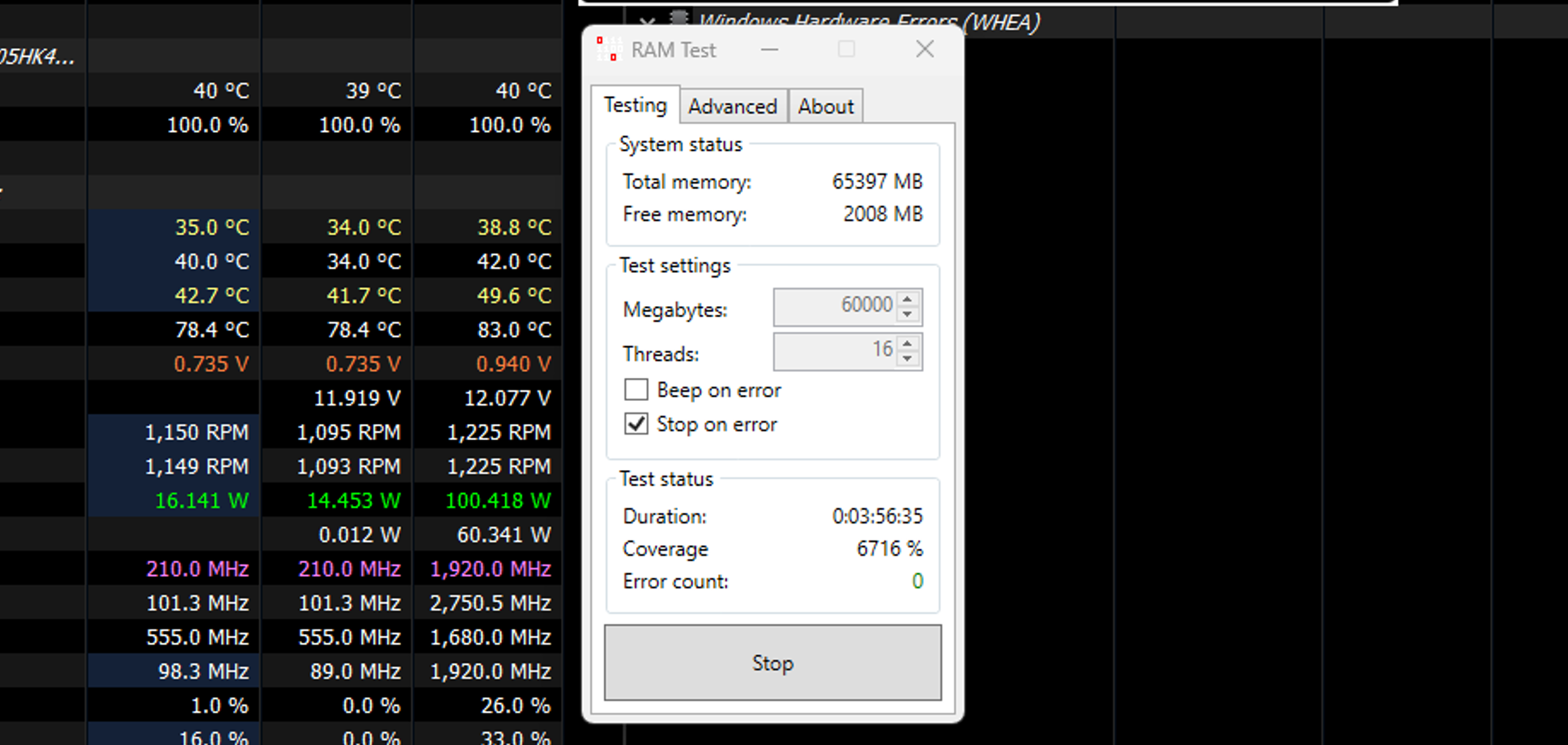
DOCUMENTATION REVIEWED: Karhu Software Oy RAM Test 1.1.0.0: official page, README, current FAQ, and archived 2021 FAQ; HWiNFO monitoring. Screenshot: my test run.
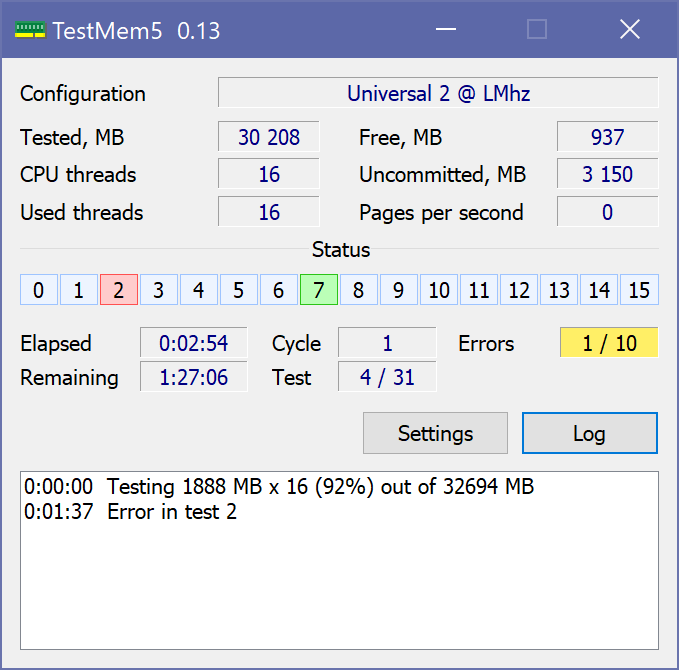
The original TestMem5 0.12 was written by Serj; CoolCmd continued its development. The current version, 0.13.1, fixes premature completion, an incorrect tested-memory size, and silent allocation errors. Run it as administrator and verify the TM5.exe/TM5.dll version.
THE CONFIG DETERMINES THE NATURE OF THE TEST
Table, PDF page 68
Config
Creator
Purpose
Role for Intel DDR5
DDR5 Intel / OptimalforIntelDDR5
anta777
Profile specifically for Intel DDR5
The most logical starting point
Universal 2
LMHz
Modern general-purpose profile; default in 0.13.1
Quick general check
Absolut
anta777
Profile focused on testing the memory array
Final independent check
Extreme
anta777
Older, long-running general-purpose profile
Usable, but not DDR5-specific
1usmus v3
1usmus
Short diagnostic profile
Historical; do not treat it as the DDR5 standard
Default
Serj
Original baseline sequence
Not the best choice for modern overclocking
KARHU AND TM5 APPROACH A SIMILAR TASK DIFFERENTLY
Table, PDF page 68
Characteristic
Karhu RAM Test
TestMem5 0.13.1
Model
Single closed algorithm
Engine with user-defined configs
Progress
Time and coverage
Specified duration, sequences, and tests
Configuration
Cache, RNG, FPU, memory size, and threads
Patterns, blocks, duration, and order
Repeatability
Easier to compare identical runs
The result depends more heavily on the config
License
Paid
Free
DOCUMENTATION REVIEWED: CoolCmd/TestMem5 v0.13.1 release and documentation; bundled configs by Serj, LMHz, anta777 and 1usmus; 02.09.2026.
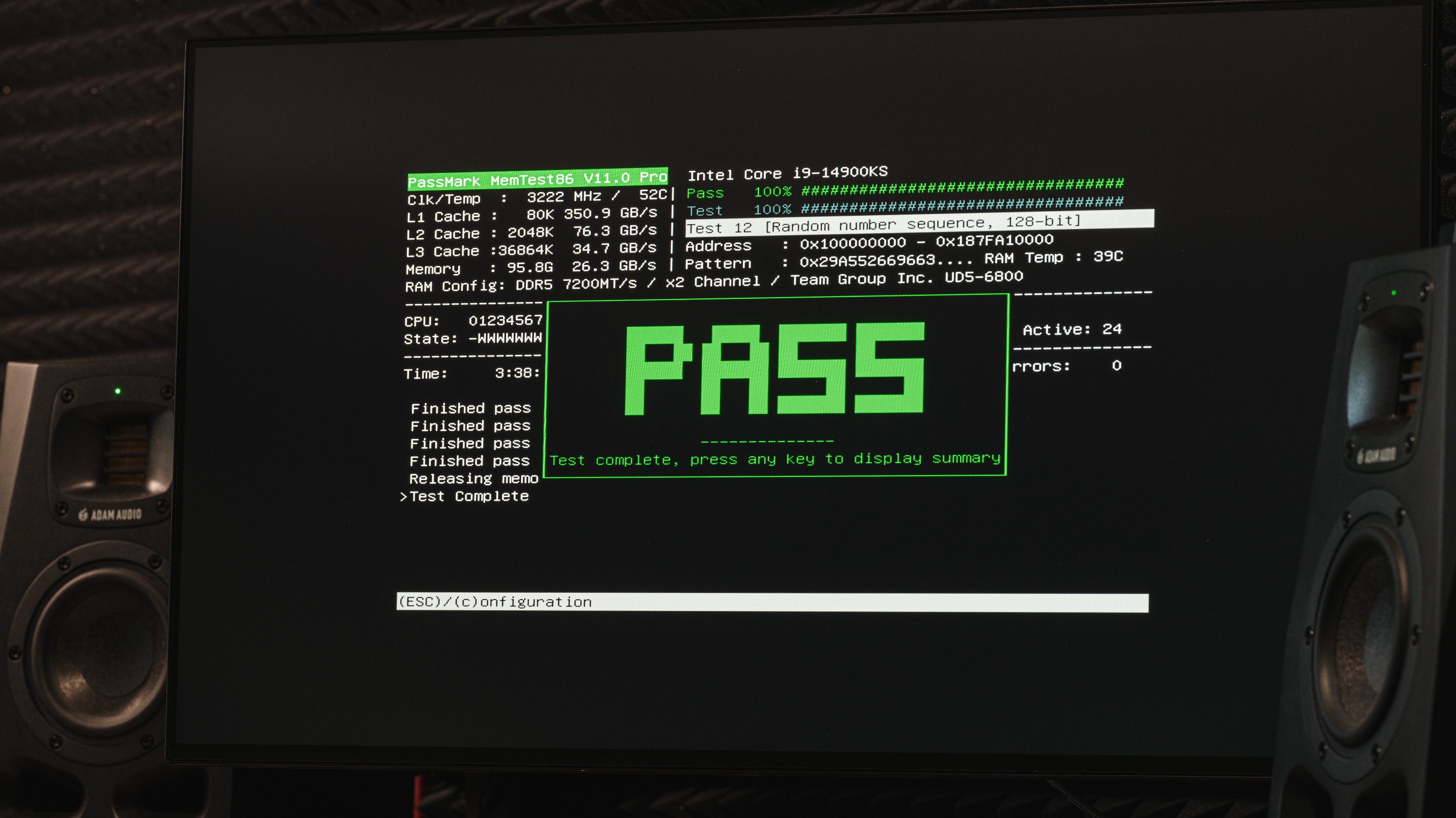
PassMark MemTest86 v11.7 Build 1000 is a standalone UEFI application. Write the image to a USB drive, select the drive in the Boot Menu, and MemTest86 then runs without Windows or Linux. It is used for basic and service diagnostics of memory kits in UEFI mode.
CONFIGURATION FOR DDR5
Table, PDF page 69
Setting
Practical choice
Meaning
CPU Mode
Parallel
Fastest standard mode; Single/Round Robin/Sequential are only for diagnosing UEFI or CPU cores
Passes
4 passes
Free: maximum of 4; the first is shortened, the next 3 are full. Four full passes are available only in Pro/Site through PASS1FULL=1
Tests
Free: 0–10, 13; Pro/Site: 0–13
Tests 11/12 are 64/128-bit tests available only in Pro/Site; Test 13 Row Hammer is available in Free
Test 14 DMA
Disabled by default
Additional DMA/USB diagnostics, not a standard memory-overclocking test
FREE, PRO, AND ECC
Table, PDF page 69
Feature
Free
Pro
Core tests
Up to 4 passes; up to 16 logical CPUs; without Tests 11/12
Up to 999 passes; more CPUs; Tests 11/12 available
Automation
Manual launch and standard report
mt86.cfg, profiles, advanced reports, and cache policy
ECC
Detection and reporting of supported system ECC
ECC injection on compatible CPU/IMC combinations as well
DOCUMENTATION REVIEWED: PassMark MemTest86 v11.7: User Guide, editions, execution time, ECC, Test 13/14. SK hynix DDR5 32Gb M-die Rev.1.2, §4.37. Photo: my v11 Pro run.
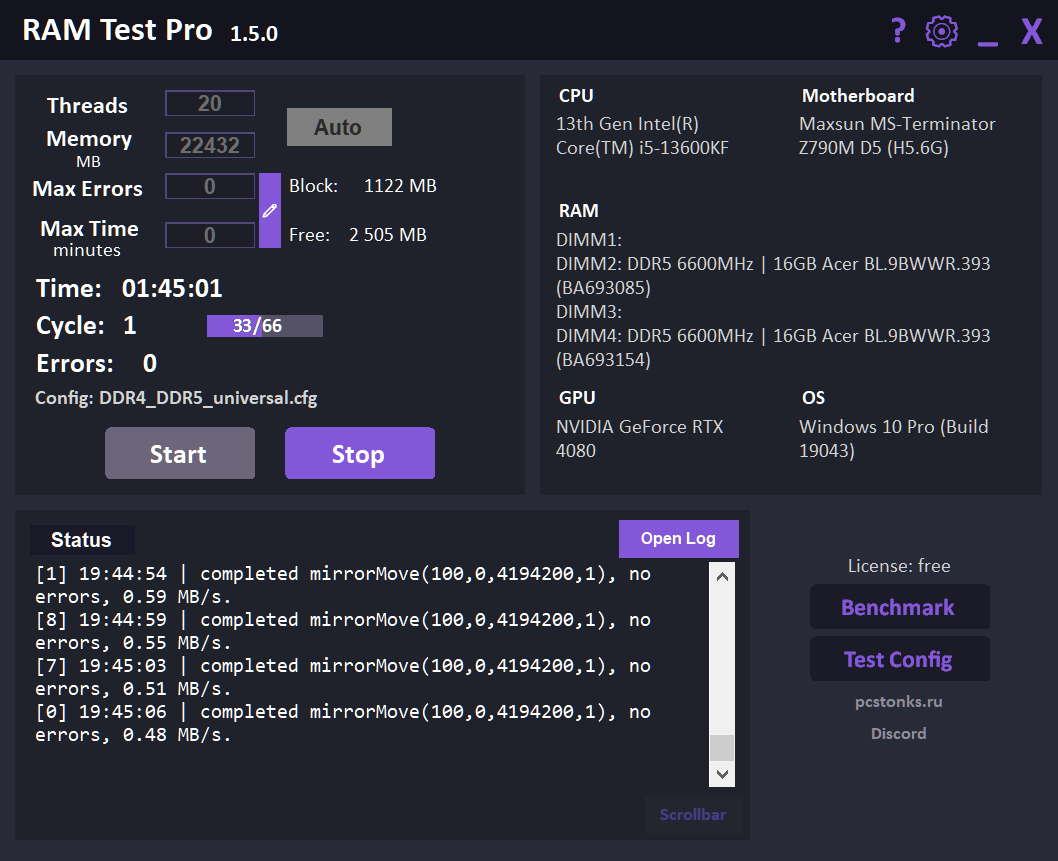
RAM Test Pro 1.5.0 is a free 64-bit memory-testing utility for Windows 10/11 by Svetlana (PCSTONKS). It combines configurable test sequences, error logging, WHEA monitoring, NUMA/Large Pages support, and a separate DDR2–DDR5 benchmark.
WHAT SETS RAM TEST PRO APART
Table, PDF page 70
Component
What is implemented
Practical meaning
Engine
Its own x64 core and cfg format, according to Svetlana's description
Flexible configuration of test sequences and parameters
Algorithms
Inverse, mirror move, refresh, pseudorandom, and I/O/AVX
The sequence and parameters can be changed through a config
Diagnostics
Error location, log, WHEA, and stopping at a limit
More context than a single Errors counter
Platforms
Multicore CPUs, NUMA, and experimental Large Pages
Useful beyond a typical gaming system
Benchmark
Read/Write/Copy, latency, and random access
An additional comparison point, but not a replacement for AIDA64/MLC
DOCUMENTATION REVIEWED: Svetlana / PCSTONKS: RAM Test Pro 1.5.0 official page, guide and release notes.
These programs are optional, but they help quickly confirm a specific hypothesis and provide a second opinion. Karhu + y-cruncher remain the foundation of my methodology; Svetlana’s (PCSTONKS) RAM Test Pro is covered in 7.6 as a free alternative for an additional check. Always save the version, settings, duration, temperature, and first error together with the screenshot.
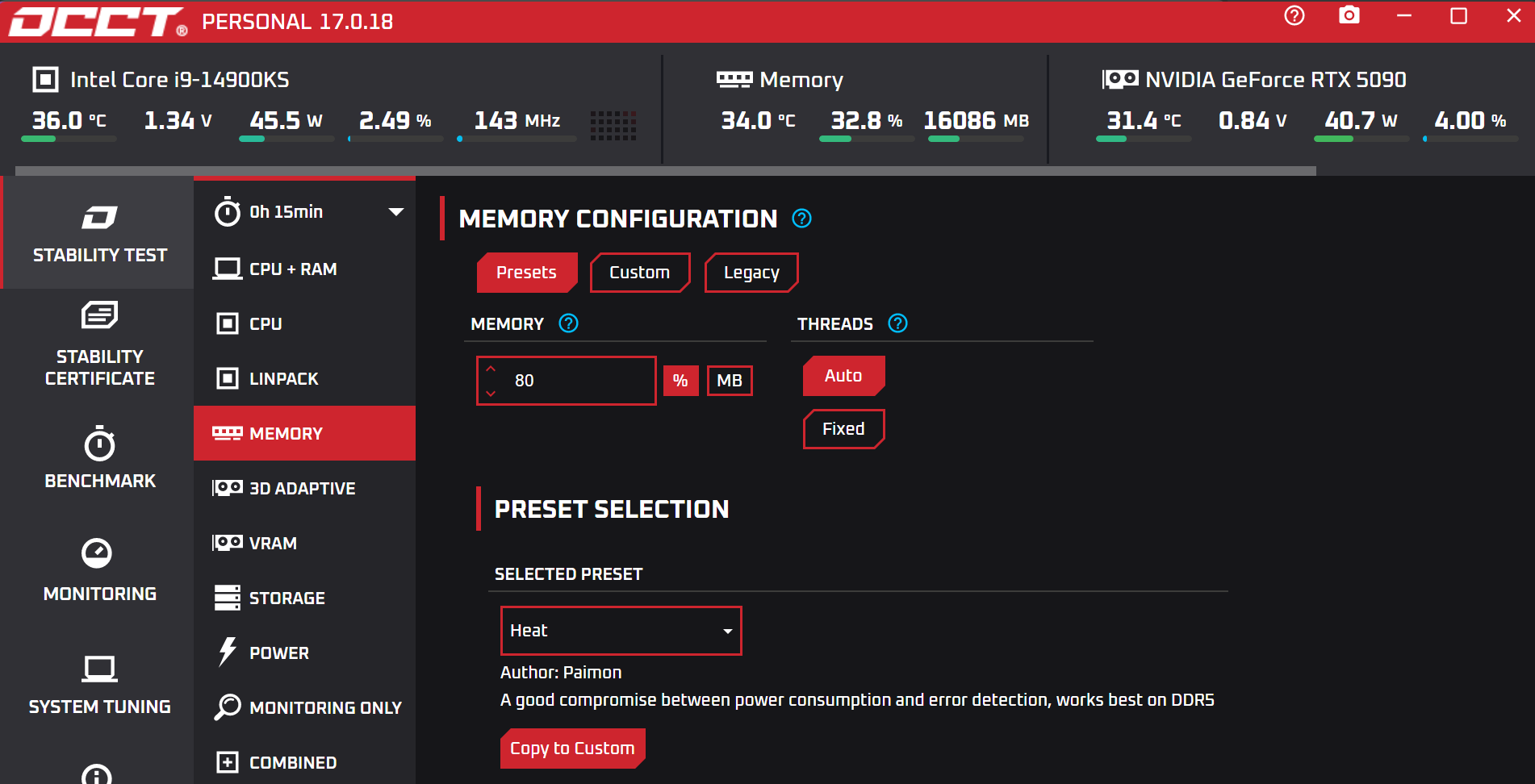
OCCT MEMORY CONFIGURATION EXAMPLE
Table, PDF page 71
Tool
When useful
Limitation
Practical duration
OCCT Memory
Quickly catches transfer, frequency, and timing errors under Windows
Cannot see memory occupied by the operating system
15–30 minutes
OCCT CPU + RAM
Tests the overall CPU and memory path; monitors WHEA
More difficult to isolate the cause
20–45 minutes
HCI MemTest 7.0
Simple alternative Windows RAM test
More manual setup; slower than Karhu. Pro makes thread allocation easier
400%+ as a basic reference point
Real-world workload
Game, archiver, compilation, rendering, and system sleep
y-cruncher + Karhu; TM5/RTP are only additional cross-checks
Different algorithms under Windows
45–60 minutes + 1–3 hours of Karhu
Pre-boot
MemTest86 4 passes
Gross address, bit, and Hammer errors
Until completion
Final daily profile
MemTest86 + y-cruncher + Karhu + cold/warm boot
Data, IMC, temperature, and repeatability
4 passes + 45–60 min + 3–6 hr of Karhu
DOCUMENTATION REVIEWED: OCCT official test descriptions; HCI MemTest 7.0 official page; PCSTONKS RAM Test Pro documentation; consolidated methodology of this manual.
7.9 Diagnosing errors and deciding when a profile is ready
After an error, first establish the conditions under which it appears. Examine the test, time, temperature, WHEA, boot type, and latest change; then revert only one parameter.
SYMPTOM -> FIRST HYPOTHESIS -> NEXT TEST
Table, PDF page 72
Symptom
First hypothesis
What to do next
The data-error counter rises immediately
Latest OC change; CPU/cache, memory, IMC, or signal integrity
Revert the step; repeat from a known-good baseline; save the error text and conditions
The test cannot allocate memory
Requested allocation, program limitations, or available RAM
Reduce the allocation; check program settings and messages
The test runs unusually slowly
Paging (page transfers between RAM and disk), background load, or test mode
Check RAM/page-file use and repeat under comparable conditions
Error only after warm-up
tREFI/tRFC, DRAM VDD, cooling, or 2R
Record the SPD Hub temperature; lower tREFI or improve daily-use airflow
SVT and VT3 fail
CPU/cache, ring, CPU power, or an overall CPU/IMC, thermal, or power limit
Back off the CPU OC; compare SFTv4/SVT and OCCT CPU
SVT passes, but VT3/FFTv4 fail
IMC, VDD2/MC, TX/SA, memory, or signal integrity
Compare with Karhu; restore Auto ODT; check the voltage ranges
MemTest86 reports errors before theoperating system loads
Gross memory/IMC instability, addressing, or UEFI/BIOS
JEDEC, another DIMM/slot, then repeat after Clear CMOS and cold training
Error only after cold boot
Non-repeatable training result or accelerated boot path
Disable MRC Fast Boot; perform three cold boots and compare runtime readback
WHEA without a RAM error
CPU/IMC/interconnect, not necessarily DRAM
OCCT CPU + RAM and a separate CPU test; check the WHEA log
Data errors and memory-allocation errors are counted separately. Paging (transferring memory pages between RAM and disk) can dramatically slow the test; it is not a sufficient explanation for a rising RAM-error counter.
COMPLETION CRITERIA FOR A DAILY PROFILE
Table, PDF page 72
Step
Requirement
What to save
1
Four error-free MemTest86 passes
HTML/photo of the report and the 11.x version
2
45–60 minutes of y-cruncher SVT + VT3 + FFTv4
Version, memory allocation, limit, and initial/final temperature
3
Karhu for 3–6 hours; TM5/RTP only as an additional run
Duration, coverage, memory size, threads, and 0 errors
4
Three cold boots and three warm restarts; sleep if used
POST behavior, Q-Code, and trained values
5
Final thermal run with daily-use cooling
Maximum SPD Hub temperature, WHEA, and ambient temperature
6
Normal workloads show no regressions
Archiver/game/rendering and a backup of the profile
DOCUMENTATION REVIEWED: Consolidated methodology of chapters 03-07; official y-cruncher, Karhu RAM Test, PassMark MemTest86, OCCT and HWiNFO documentation.